← All videos

TLS & Mutual TLS for a Distributed .NET Cache

Encrypt every hop — client-to-server, server-to-server, and management — with certificates Zaris generates for you.

Watch it, or read it

The full walkthrough below — every screen from the video, with the narration transcribed. Skim it, search it, or read it in your own language.
TLS & Mutual TLS for a Distributed .NET Cache — screen 1
Let us add encryption. In the next few minutes, we will turn on T L S across a Zaris cluster, entirely from the web console. The cluster will mint its own certificates, and you will place a single root cert on your clients. Let us begin.
TLS & Mutual TLS for a Distributed .NET Cache — screen 2
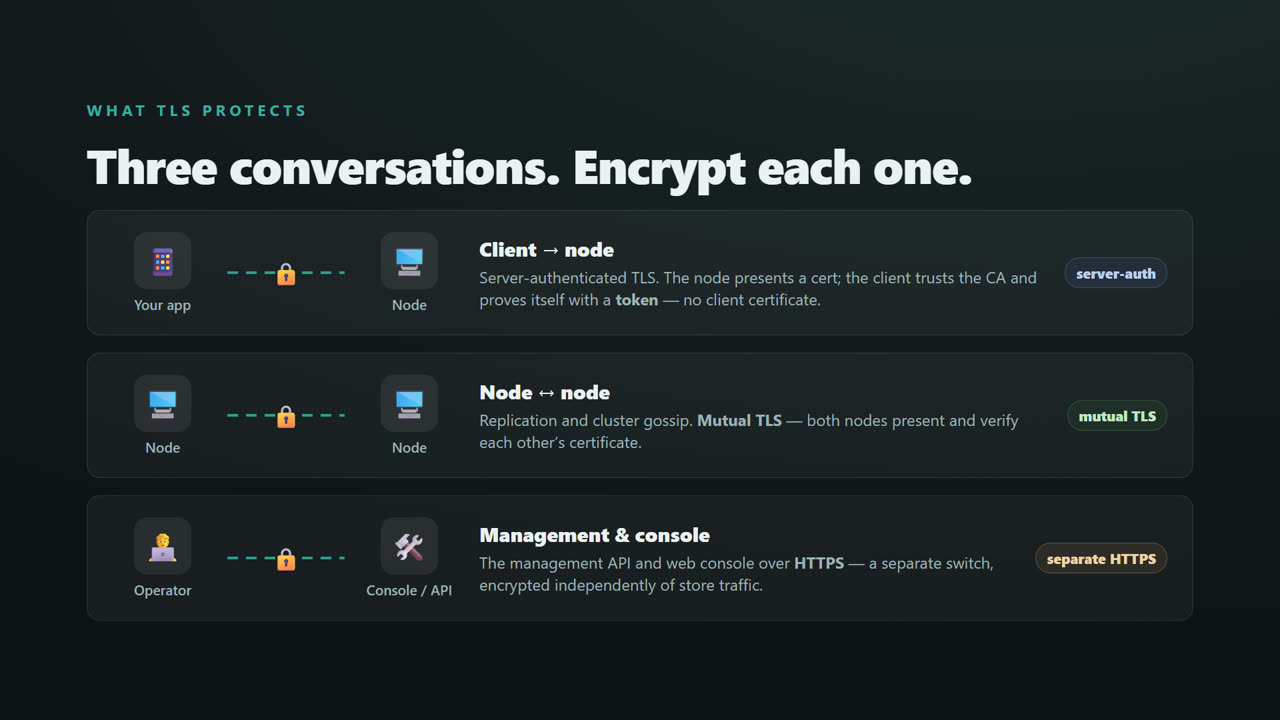
First, what T L S actually protects. There are three conversations in a Zaris cluster. Client to node — your application talking to a node — is server authenticated. The node presents a certificate, the client trusts the C A, and proves itself with a token. No client certificate. Node to node — replication and cluster gossip — is mutual T L S. Both sides present and verify a certificate. And the management API and web console are a separate switch, encrypted independently over HTTPS. We will turn on all three.
TLS & Mutual TLS for a Distributed .NET Cache — screen 3
Part one. Create the certificate authority.
TLS & Mutual TLS for a Distributed .NET Cache — screen 4
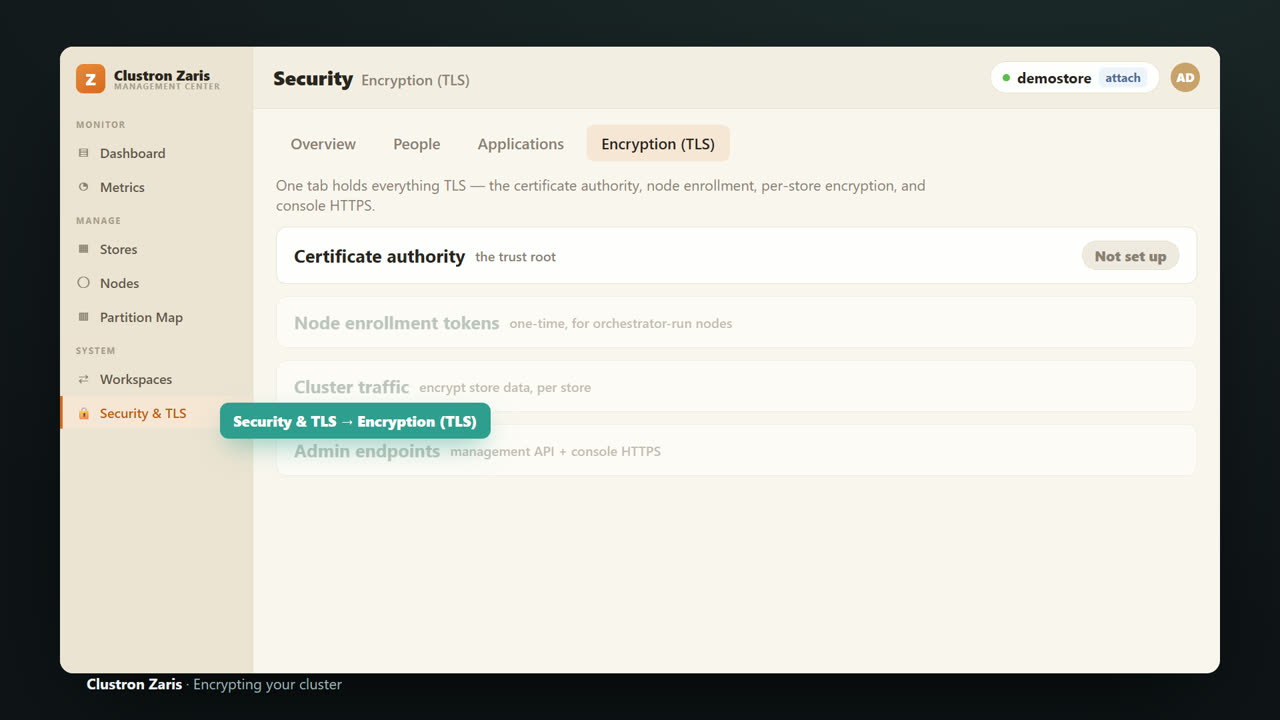
It all lives in one place. Security and T L S, then the Encryption tab. Four cards, top to bottom. The certificate authority, node enrollment, cluster traffic, and admin endpoints.
TLS & Mutual TLS for a Distributed .NET Cache — screen 5
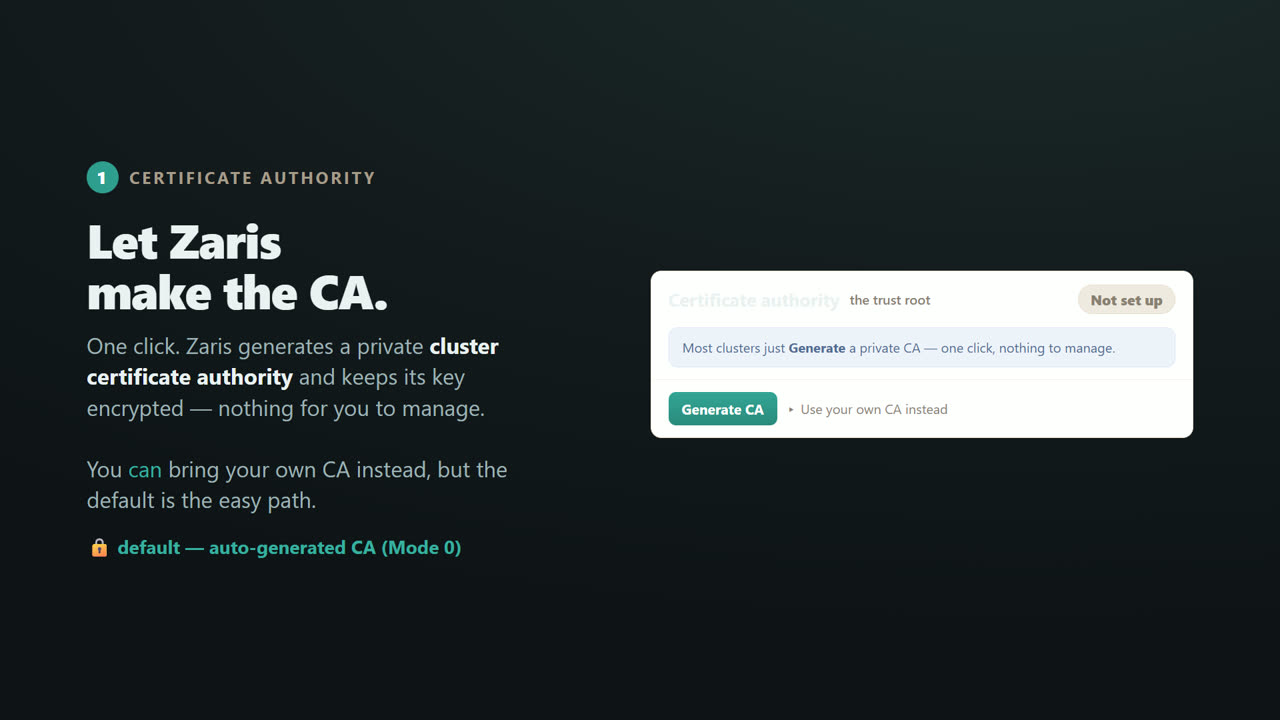
Start with the certificate authority. Click Generate, and Zaris creates a private C A for the cluster, and keeps its key encrypted. Nothing for you to manage. You can bring your own C A instead — there is a link right there — but the generated one is the easy path, and what we will use.
TLS & Mutual TLS for a Distributed .NET Cache — screen 6
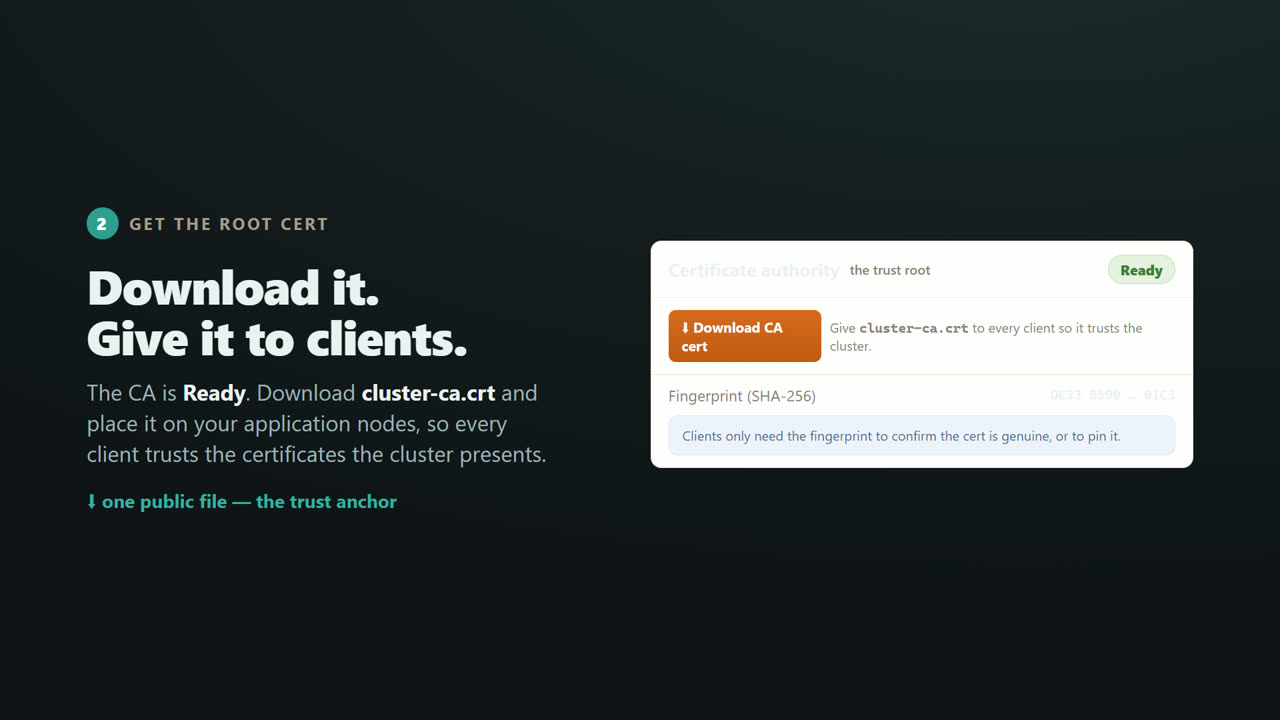
A moment later, the C A is ready. Now the important button. Download C A cert. This gives you a single file, cluster dash c a dot c r t. This is your trust anchor. The fingerprint next to it lets a client confirm the cert is genuine, or pin it.
TLS & Mutual TLS for a Distributed .NET Cache — screen 7
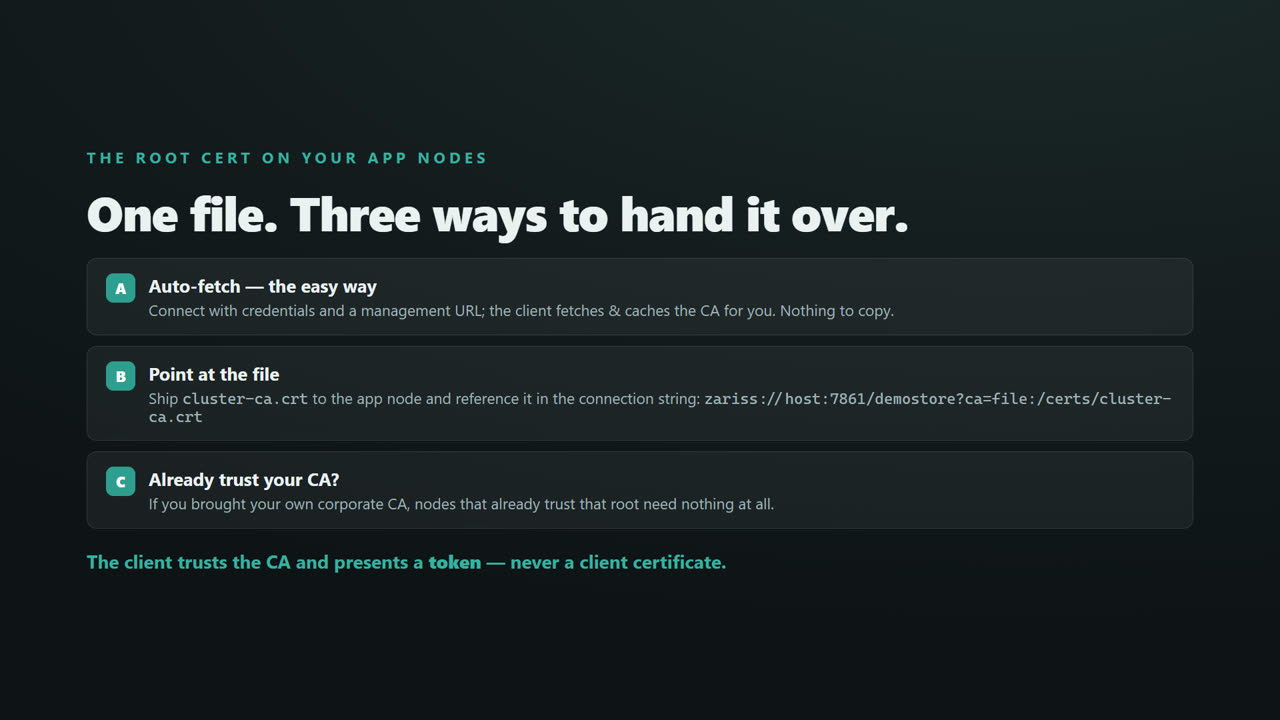
That one file goes to your application nodes, so every client trusts the certificates the cluster presents. Three ways to hand it over. The easy way — connect with credentials and a management URL, and the client fetches and caches the C A for you. Or, ship the file to the node and point at it in the connection string, with c a equals file. Or, if you brought your own corporate C A, nodes that already trust that root need nothing. Either way, the client trusts the C A and presents a token. Never a client certificate.
TLS & Mutual TLS for a Distributed .NET Cache — screen 8
Part two. Encrypt the store. This is mutual T L S.
TLS & Mutual TLS for a Distributed .NET Cache — screen 9
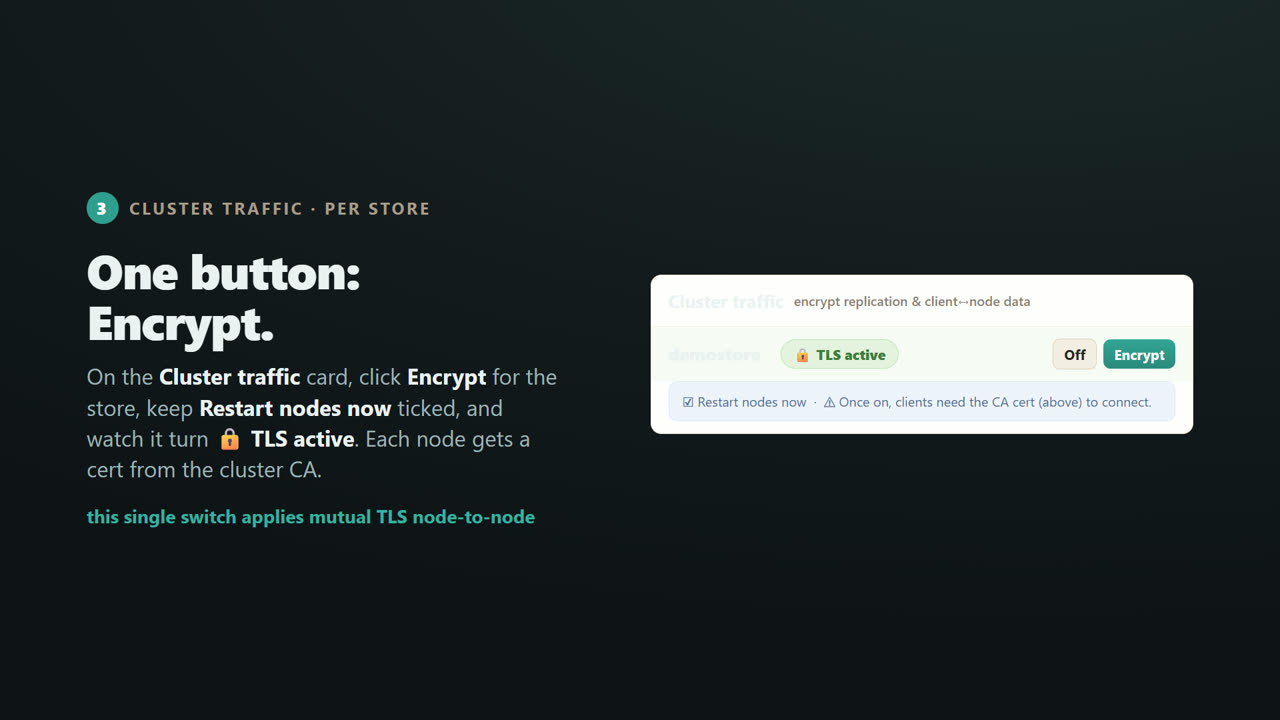
On the Cluster traffic card, find your store, and click Encrypt. Keep restart nodes now ticked, and watch the badge turn. T L S active. Each node is issued a certificate from the cluster C A. And here is the key point. This single switch turns on mutual T L S between your nodes. There is no separate toggle.
TLS & Mutual TLS for a Distributed .NET Cache — screen 10
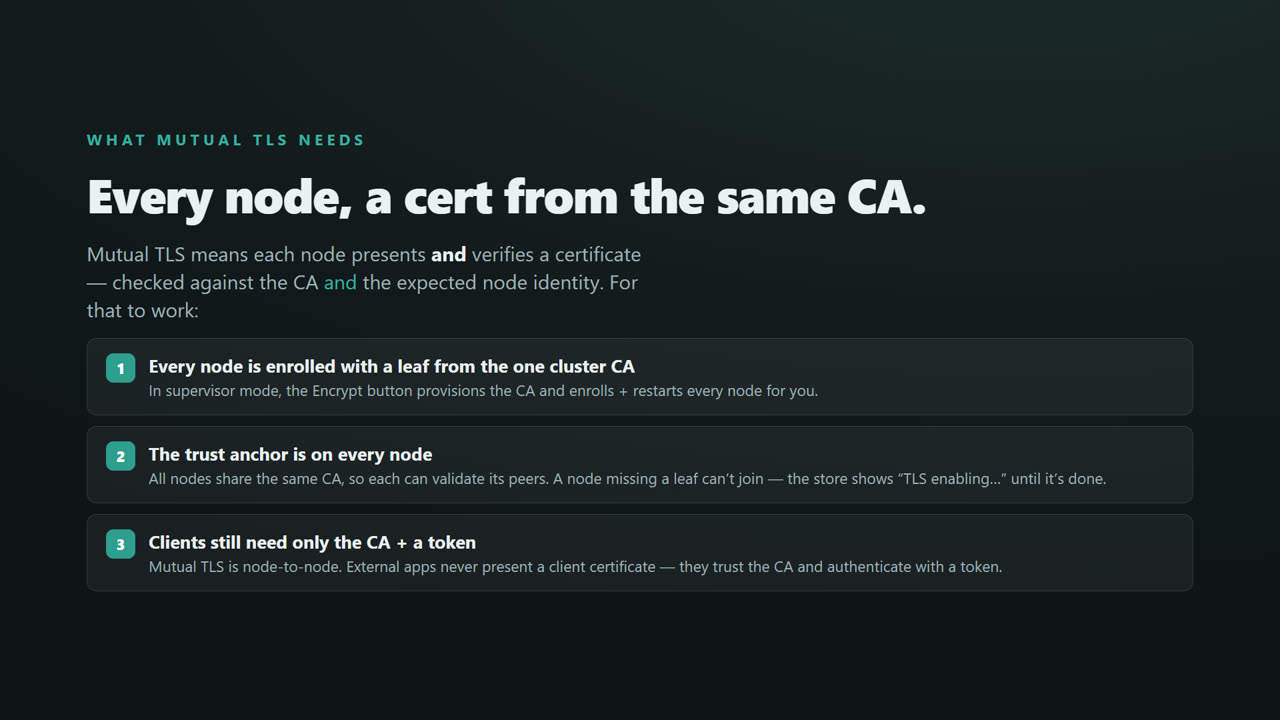
So what does mutual T L S need? Three things. First, every node must be enrolled with a certificate from the same cluster C A. In supervisor mode, that Encrypt button provisions the C A, enrolls every node, and restarts them for you. Second, the trust anchor, that same C A, must be on every node, so each can validate its peers. A node without a certificate simply cannot join, and the store shows T L S enabling until it is done. And third, remember. Your applications still need only the C A and a token. Mutual T L S is between nodes. External clients never present a client certificate.
TLS & Mutual TLS for a Distributed .NET Cache — screen 11
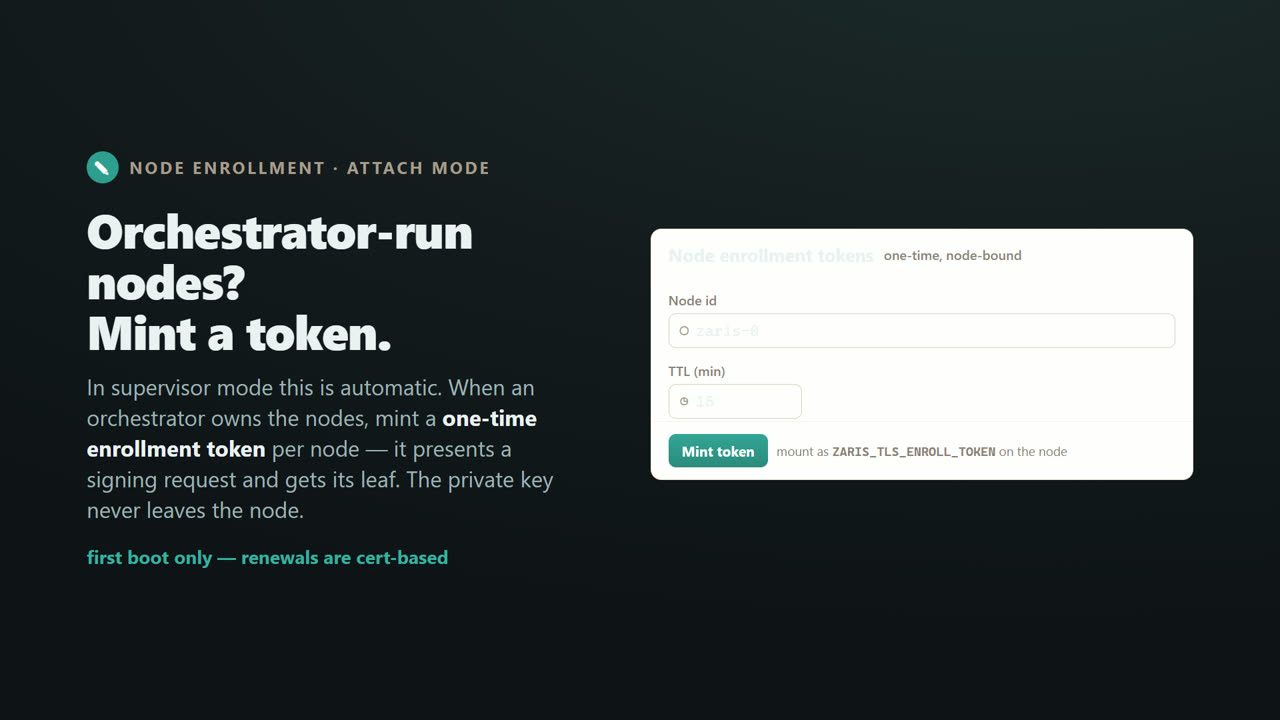
One note for orchestrator run clusters. In supervisor mode, enrollment is automatic. But when an external orchestrator owns your nodes, you mint a one time enrollment token per node, right here. The node uses it once to request its certificate, and its private key never leaves it. First boot only. Renewals are certificate based.
TLS & Mutual TLS for a Distributed .NET Cache — screen 12
Part three. Encrypt the console and management API.
TLS & Mutual TLS for a Distributed .NET Cache — screen 13
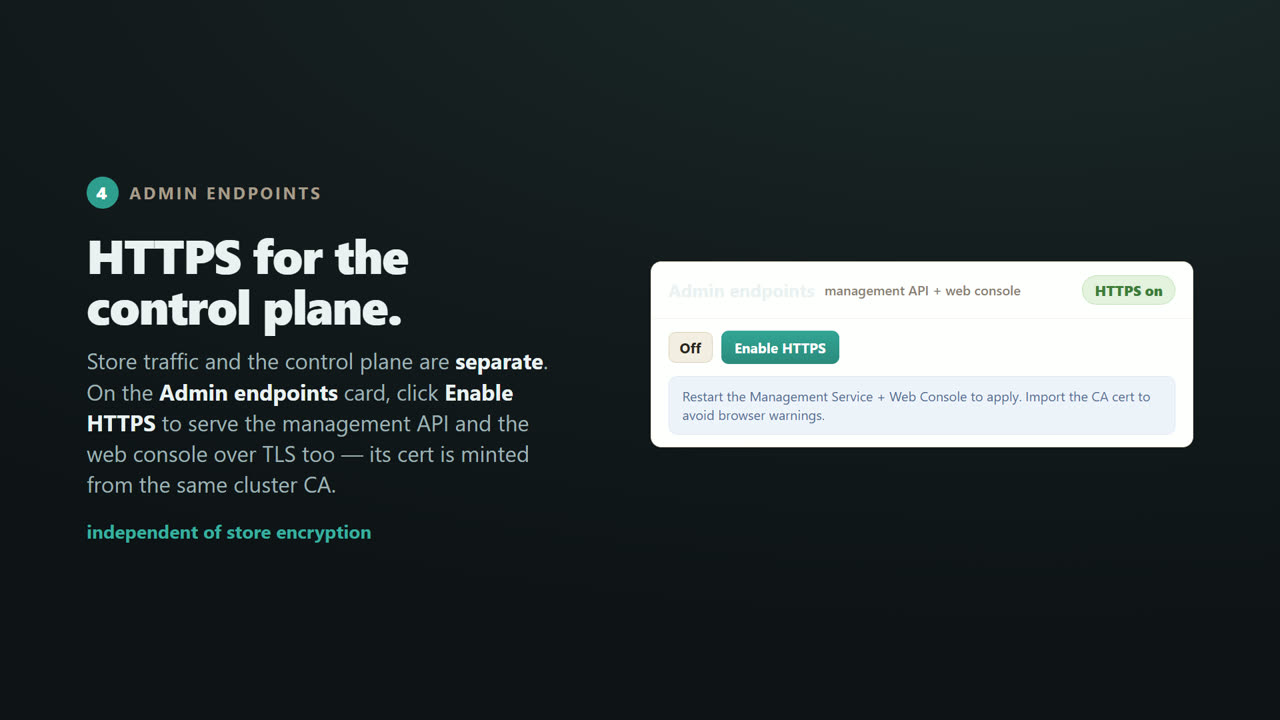
Store traffic and the control plane are separate. On the Admin endpoints card, click Enable HTTPS, and the management API and the web console are served over T L S too. Its certificate is minted from the same cluster C A. Restart to apply, and import the C A cert to avoid browser warnings.
TLS & Mutual TLS for a Distributed .NET Cache — screen 14
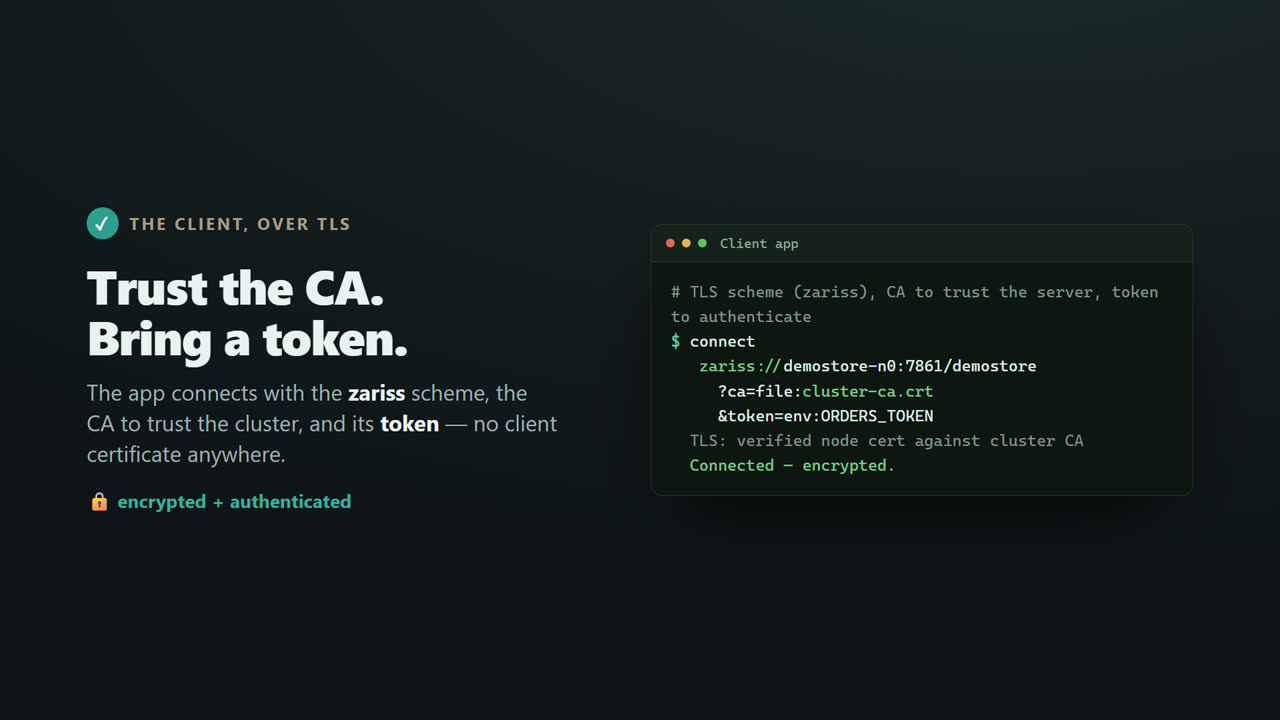
And that is the client's side. It connects with the z a r i s s scheme, with two S, for secure, the C A to trust the cluster, and its token to authenticate. The node's certificate is verified against the C A, and the connection is encrypted. Notice. There is no client certificate anywhere.
TLS & Mutual TLS for a Distributed .NET Cache — screen 15
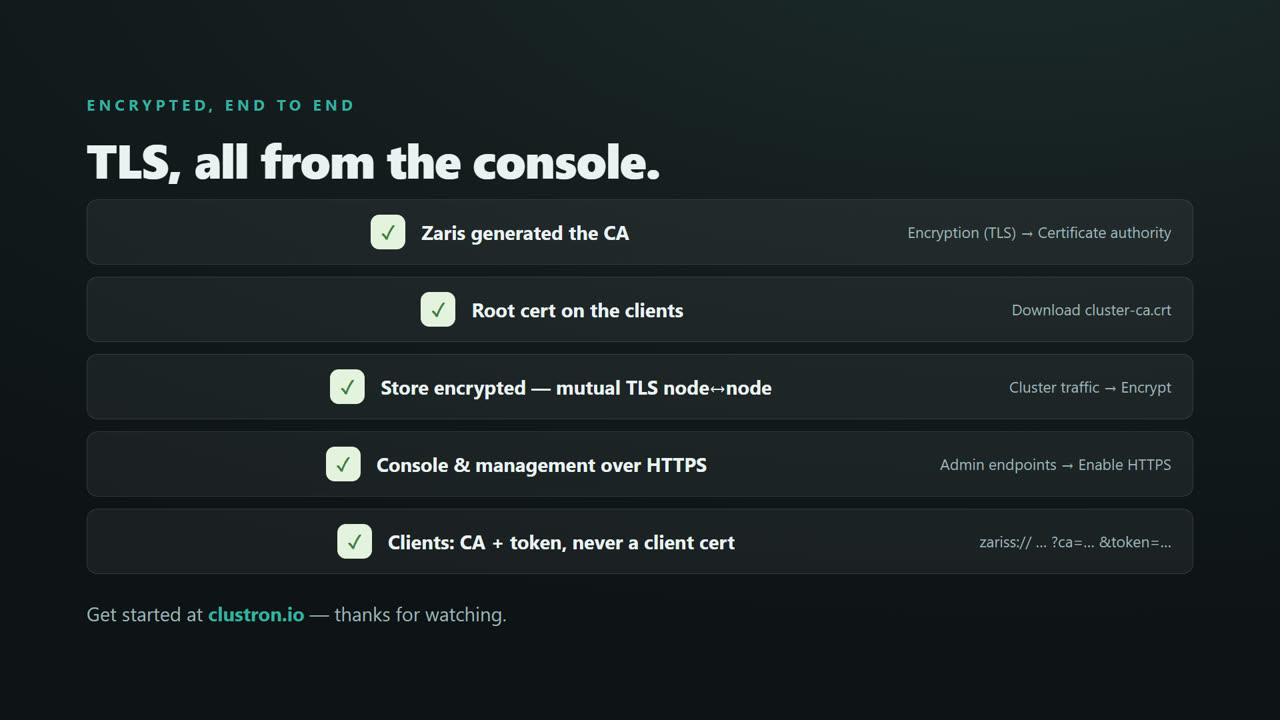
That is T L S, end to end, all from the console. Zaris generated the C A. You placed the root cert on your clients. The store is encrypted with mutual T L S between nodes. The console and management API are over HTTPS. And your clients connect with just the C A and a token. Never a client certificate. Head to clustron dot i o to get started. Thanks for watching.